TRUWEAR MOCKUP GENERATOR
Product design & web app
- My Role
- Designer + Builder
- Team
- Solo, design team reviews
- Outcome
- Minutes → seconds

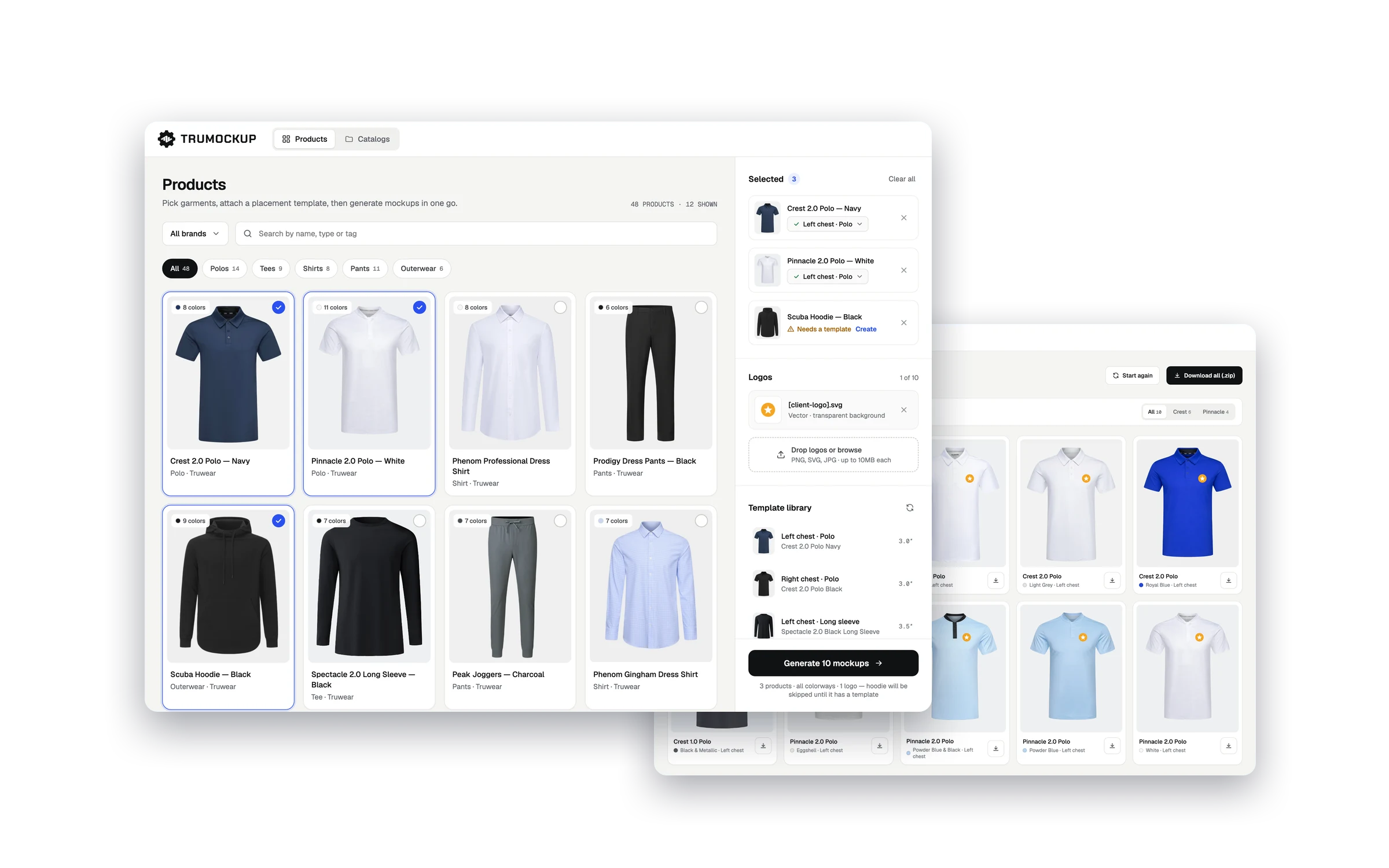
01 · Context
Every logo on every garment went through a designer.
Truwear is a corporate apparel brand with a large Shopify catalog. Every time a client wanted to see their logo on a garment, a designer had to open Figma, place the logo, adjust sizing, export, and repeat, for every product and every colorway. It was slow, it blocked the sales team, and it didn't scale.
The raw materials were all there: product photography, a live Shopify catalog, a repeatable workflow. What was missing was a tool that connected them. So I built one in 3 days, with Truwear's graphic design team reviewing and giving feedback along the way.
02 · Problem
The bottleneck wasn't design skill. It was repetition.
Everything went through a designer
Sales reps couldn't make mockups on their own, so every client request became a queue and constant context-switching for the design team.
Hours of mechanical work
One logo placement takes 2 minutes. Across 10 colorways and 5 garments for a single pitch, that's hours with zero creative value.
No link to the live catalog
Designers kept separate asset libraries that went stale fast. New products on Shopify weren't available for mockups.
Slow turnaround hurt deals
Clients waited hours to see their logo on a product. In sales, that costs momentum.
03 · Solution
Separate setup from generate.
Designers define a placement template once, and everyone else just uses it. That was the key decision: the complexity stays with the people who understand it, and it's invisible to everyone else. One tool had to work for three very different people: designers, sales reps and clients.
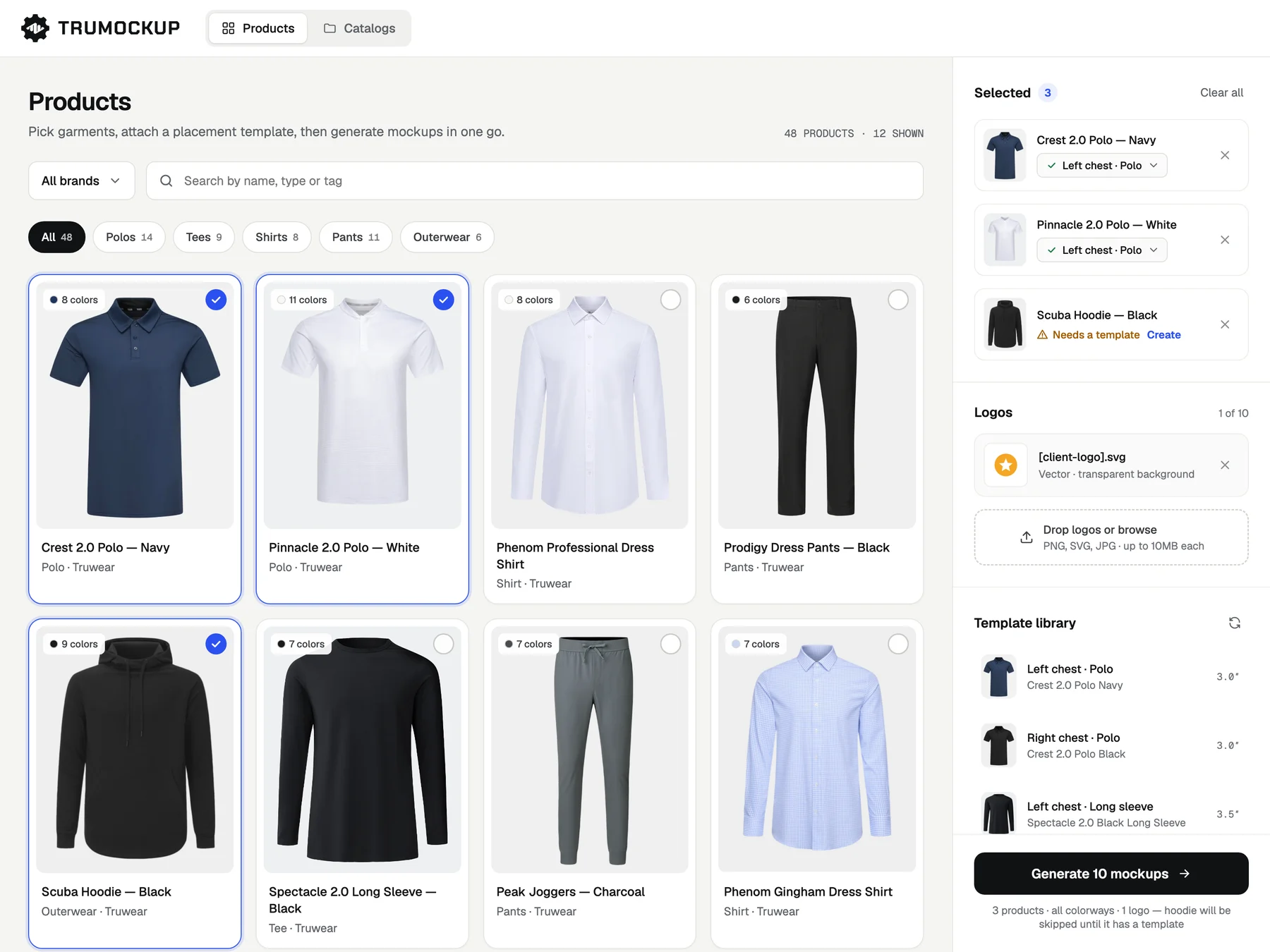
Pull the catalog live from Shopify
A custom Shopify app brings in every product, image, variant and name. New products show up in the tool automatically, no manual syncing.
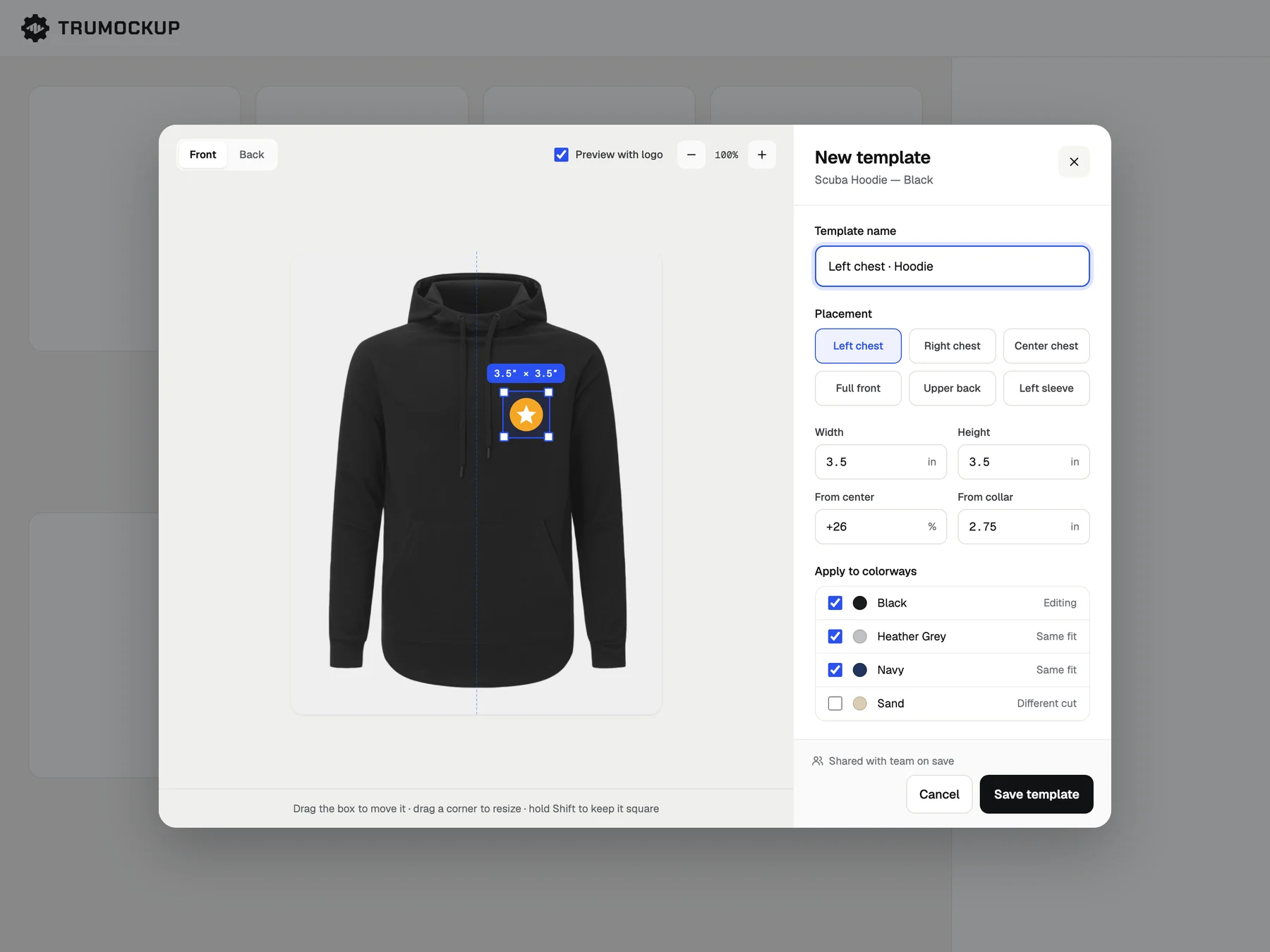
Templates once, shared with the team
Drag a placement box over the product image, size it, name it, save. It's live for the whole team right away.
Catalogs for speed, single picks for precision
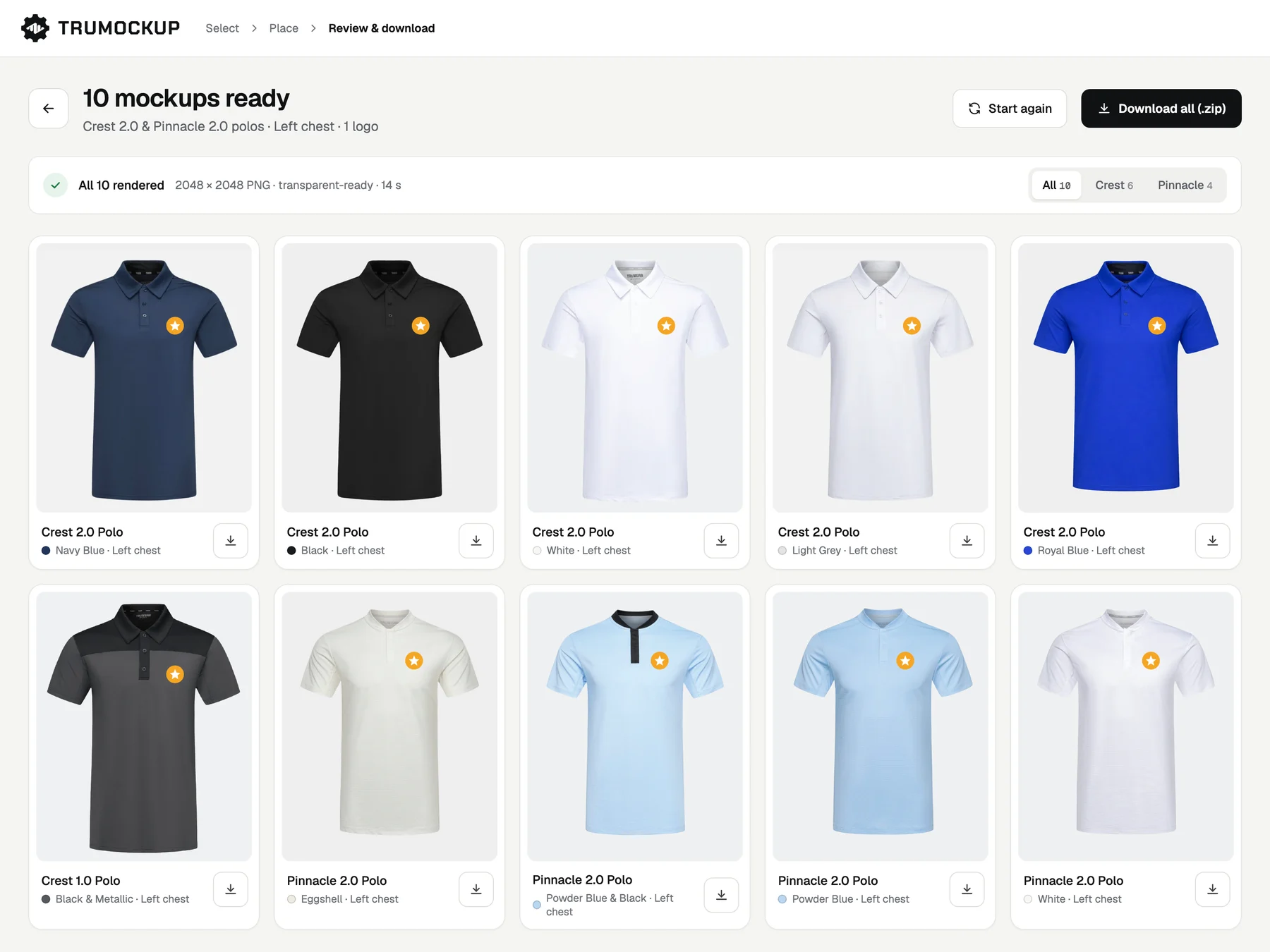
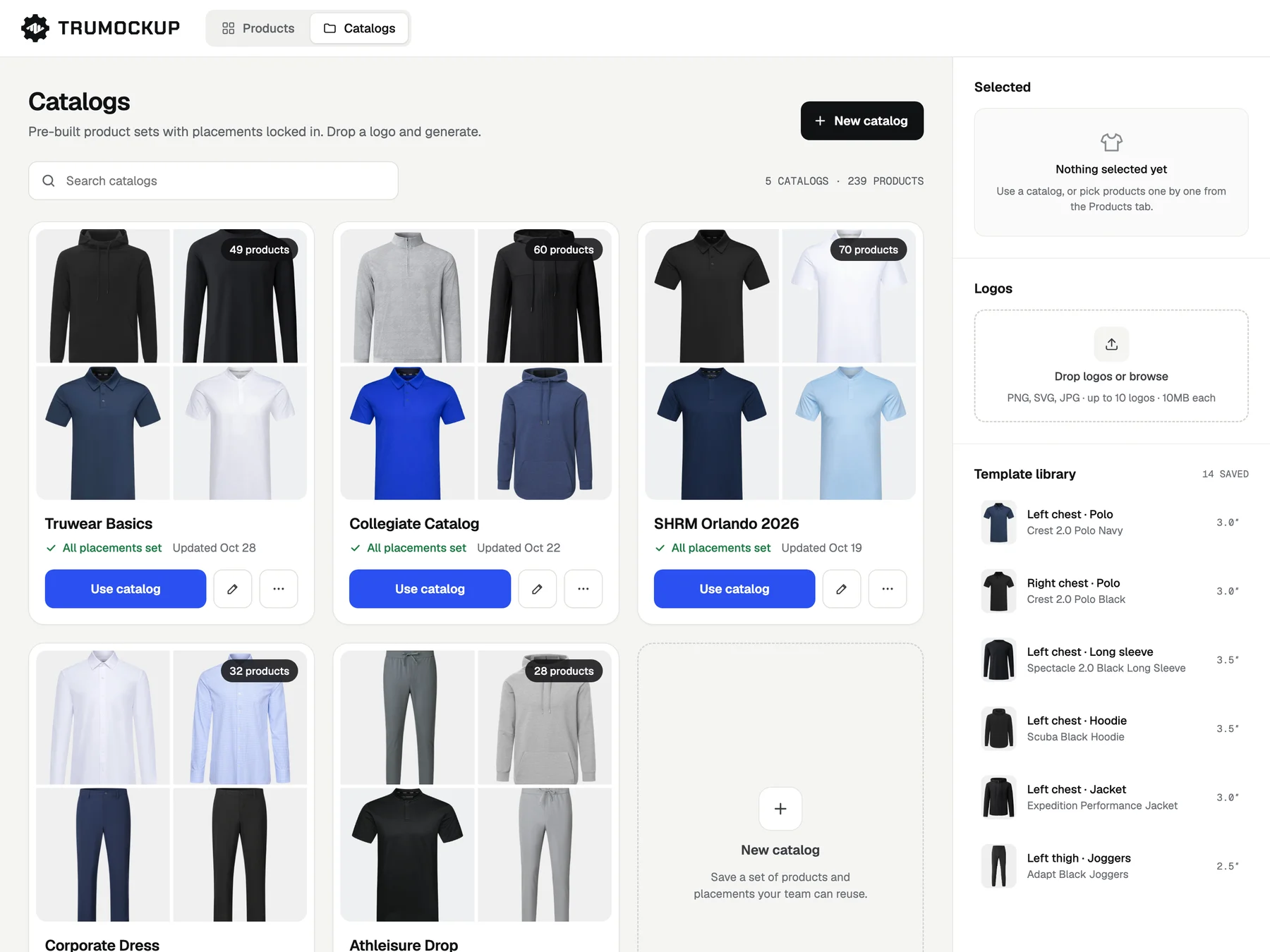
Pick a pre-built catalog (Truwear Basics: 49 products, Collegiate: 60), drop in a logo, generate, and download everything at once or one file at a time.
What feedback changed
After the first review, the design team noticed that not every product photo is shot the same way, so a fixed logo size from the template sometimes gave a poor result. They asked for a way to adjust a single mockup without touching its template. So we built a better preview page where you can quickly fix any one mockup before downloading.
04 · Result
What used to take 20 to 40 minutes per client request now takes seconds.
Today it's used by our in-house design team and marketing, and it lives on Truwear's internal site, so anyone in the company can use it, sales included. So far it has powered collegiate mockups for 30+ schools, thousands of mockups in total.
05 · Impact
Sales reps can have a full client deck ready before a call ends.
Designers got their hours back for creative work, and sales stopped waiting on a queue to show a client their logo on real products.
Who I designed for
Three user types with very different technical comfort levels and goals: one tool that had to work for all of them.
Designer
Create templates once, reuse everywhere
Needed full control over logo positioning. Was manually placing logos in Figma for every client, every product, every colorway.
Sales rep
A full mockup set before or during a call
Needed to generate mockups without a designer in the loop. Was waiting hours for files, losing momentum in the sales conversation.
Client
See their logo on real products, fast
Needed it quickly enough to make a decision. Was getting a delayed email with a handful of static images and no easy way to explore other options.
The product, in detail
What's next
Auto-detect placement zones
Suggest logo placement areas from the product image, so new items get zones automatically and setup overhead drops to near zero.
Shareable client previews
Let sales reps send clients a link to preview and download mockups directly, removing manual steps on both ends.
Usage analytics
Track which products get mocked up most, giving the brand a clear signal on what clients are interested in and where to focus catalog growth.